Aardy for Apple TV
Settings on the TV
Every setting on this Apple TV, page by page.
Press and hold the clickpad during the slideshow to open Settings. Click goes in, Menu goes back one level, and Menu at the top closes Settings. There is no Save button: leaving Settings saves.
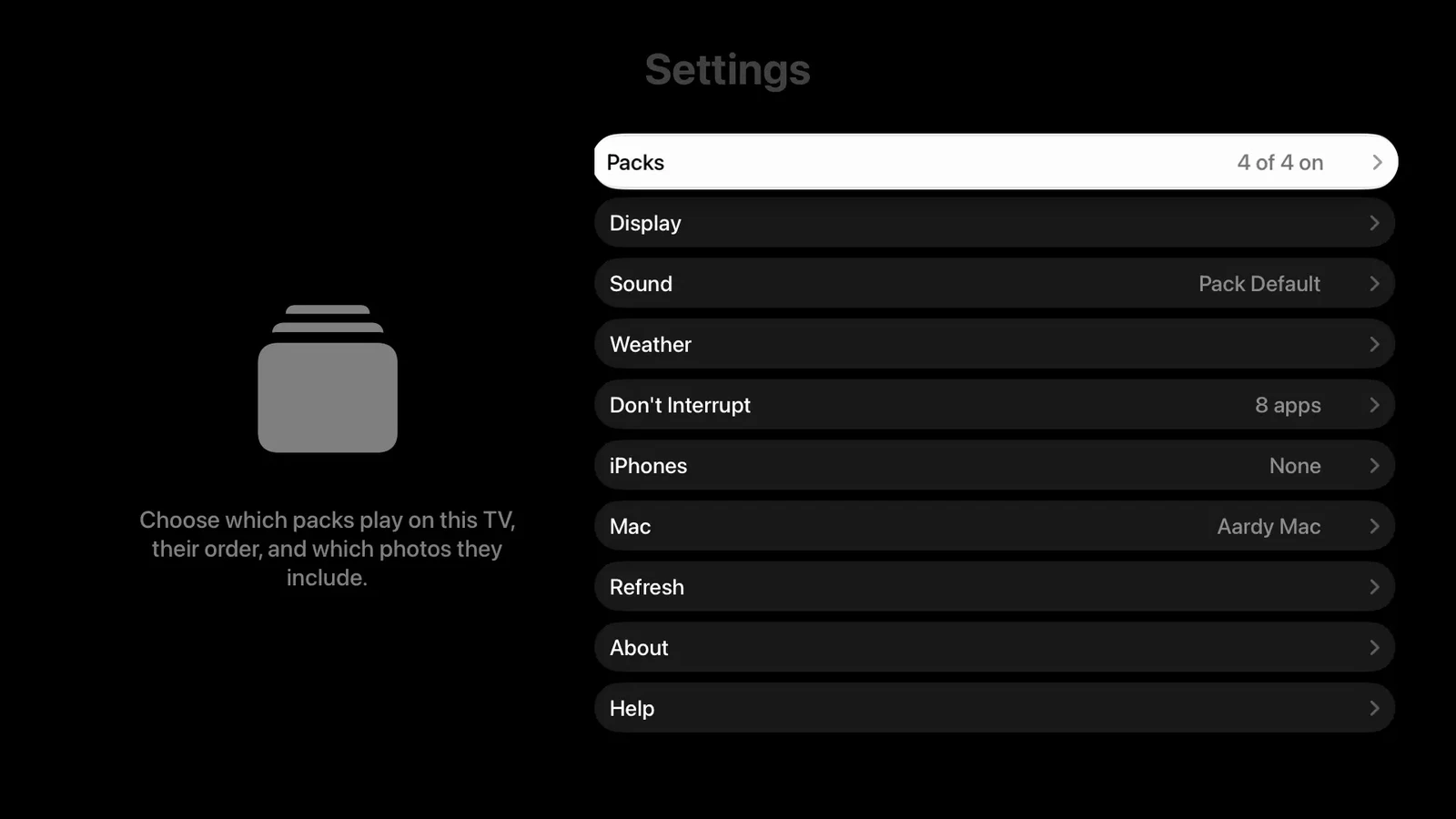
Anything left on Pack Default follows the pack.
Packs
Which packs play, their order, and filters. See Choosing packs.
Display
Slideshow
- Transition, from Crossfade and Ken Burns to Origami, or Varied.
- Time per Photo: 3, 5, 8, 10, 15, 20, 30 or 60 seconds.
- Portrait Photos: blurred fill, pair two portraits, crop to fill, or letterbox.
- Live Photos: off, silent, or with sound.
Captions
- Date, Location and Labels: pack default, on, or off.
- Landmark Language: which language place names use, from English to Japanese, or as named locally.
- Date & Location Position: any corner, top or bottom center, or center.
Sound
- Ambient Sound and Volume for this TV.
- Volume Adjustment only affects this TV. Use it when one room's speakers are louder than the others.
- Some sounds need a credit, which appears here.
Weather
First City is the city the weather screen opens on. The list of cities is set on the Mac.
Don't Interrupt
Apps the slideshow must never cut into. A paused video counts as idle, so add your streaming apps. The list comes from the Mac, which reads it from the TV, so the TV must be paired with the Mac.
iPhones
Who manages this TV, the space reserved for phone packs (2 to 16 GB), Remove Phone Packs, and the paired iPhones. Select an iPhone to forget it, and choose whether to keep or remove its packs.
Mac
The Mac this TV uses, its address, Copy Settings to All TVs (needs the protection code set on the Mac), and Forget This Mac.
Refresh
Reload Packs fetches this TV's packs again and keeps the photos. Clear Cache and Reload deletes the saved photos and downloads them again.
About
The display this TV reports, the Privacy Policy and the Terms of Use. Photos are sent at the size that fits this output.
Help
These articles, on the TV.
Note: When only phone packs are playing, Settings shows just iPhones, Mac, Refresh, About and Help. The other pages edit the Mac's settings for this TV.