Aardy for Apple TV
The info panel and what's on screen
Captions, the info panel, the credits card, and the messages the TV shows.
Captions
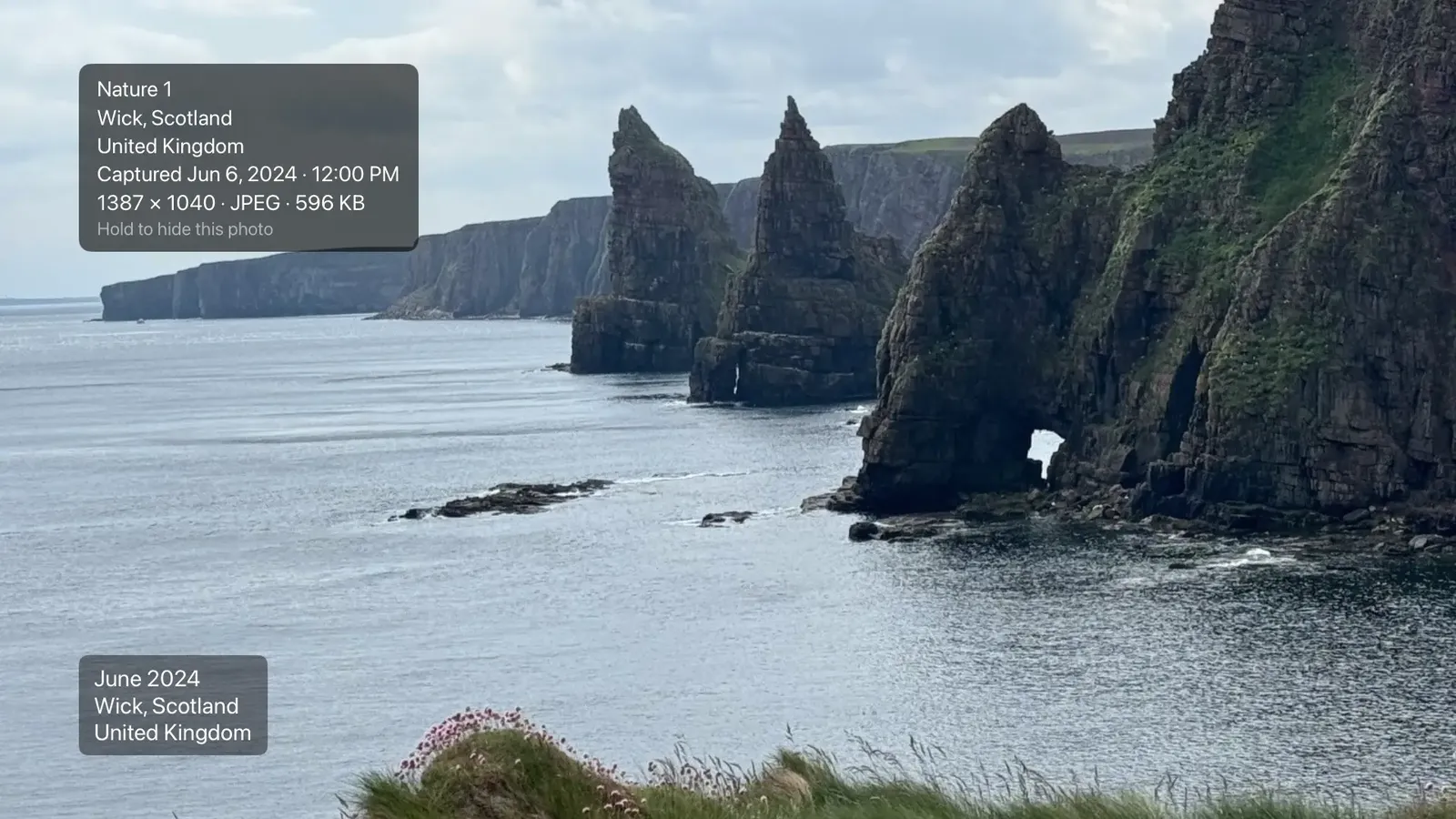
Each photo can show its date, place and label in a corner of the screen. Where they appear, and whether they show, comes from the pack. You can override it for this TV in Settings, then Display. See Settings.
The info panel
Click the remote to open the info panel. It sits in the upper left, or the upper right if the captions are in the upper left, so the two never overlap. It can show:
- the pack name,
- when the photo was captured,
- the camera and lens,
- the exposure details,
- the photo's size and format, and whether it is a Live Photo.
It ends with a dimmed hint, Hold to hide this photo. Click again to close.
The credits card
Swipe up to mark a photo, and swipe up again within a few seconds for the credits card. It shows the pack, the date, the place and a reference you can paste into the manager on the Mac to find the photo.
Messages you may see
- Paused, Mom's iPhone: someone used their phone as a remote. The TV briefly names who.
- Open Aardy on your iPhone to restore 212 photos: tvOS cleared some of the TV's storage. Opening Aardy on the phone that sent them puts them back.
- Slideshow stopped: a phone stopped the slideshow. Press Play/Pause, or start it again from your iPhone.
- Marked, swipe up again for credits: your photo was marked.